
Easy Rent Case Study

Project Overview
The Product
Easy Rent is a responsive website designed to help people who want to rent a home, find a roommate or find a room to rent.
My Role
UX Researcher, UX Designer, UI Designer
The Problem
Many rental home sites aren’t easy to use and don’t offer all types of rental homes, including finding roommates or renting a room.
Duration
November 2022 to January 2023
Software
Adobe XD, Illustrator, Photoshop
The Goal
Design a rental home site that is simple and easy to use while offering different types of rental homes.
User Research
Summary
I conducted research to better understand user needs, goals, and frustrations through observation and feedback. The forms of research I conducted include user personas, user journey maps, user studies, and a competitive analysis.
Pain Points
1
Expensive rent & move-in costs
Renters have a problem coming with the money to move-in to a new rental.
2
No savings to buy home
Renters struggle to save money to afford a down payment to buy a house because they are using all of their income on rent.
3
Need Roommates or a room
Some renters can’t afford their own home so they need to find a roommate or room to rent.
Meet the Users
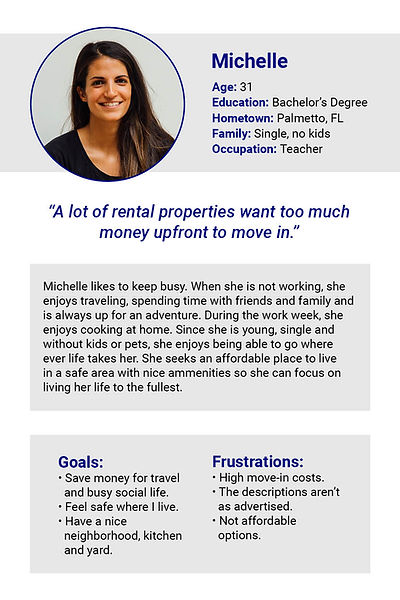

Problem statement: Michelle is a busy professional who needs to find an affordable home to rent because she wants to save money to buy a home.
Problem statement: Jesse is a working man who needs to find a room to rent because he is on a tight budget.
Starting the Design
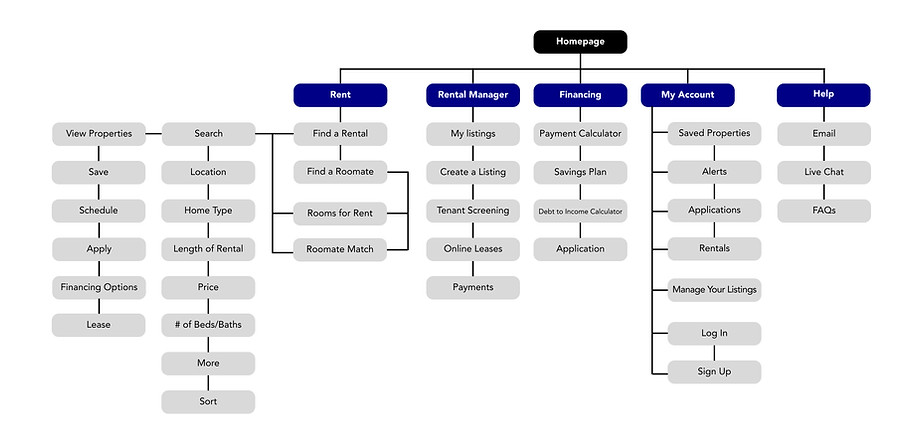
Sitemap
Paper Wireframes
I sketched out different layout ideas for the homepage. I realized that by having multiple entry points for the users to access what they were looking for, it would help people complete their tasks quickly and efficiently. I think that the design being straightforward and easy to navigate will help create a positive experience.

My sketches included ideas of the mobile and desktop versions for the homepage. After sketching, I decided to combine a few different sections into the most user-friendly design.

The homepage has multiple paths for the user to enter the flow to search for a home, room or roommate and list a home or room.
Digital Wireframes
Users can search for home, room, or roommate.


Users can manage their property listings.
In my initial research, I learned that many renters were concerned that they couldn’t save money because of the high costs to move. The responsive website features include tools to help renters manage their finances, save money and apply for a home directly online.


Low-fidelity Prototype
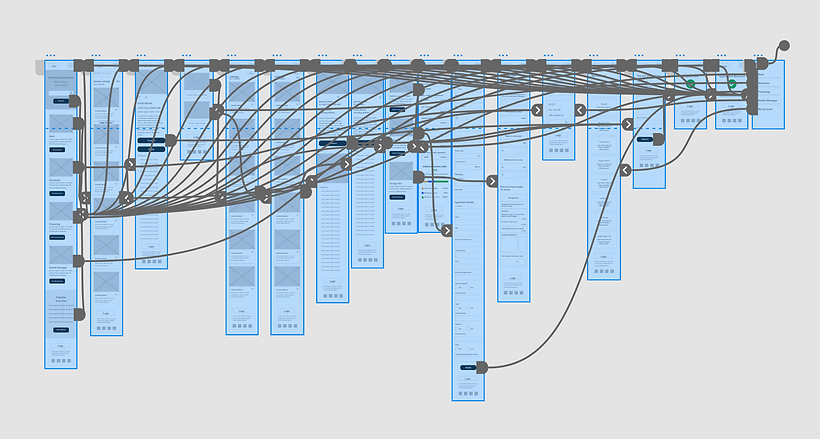
I connected all of the links to test the user flows before I conduct usability studies. Once I was confident all of the links were functioning properly, I conducted unmoderated usability studies.
Desktop

Mobile
Usability Study Findings
1
Rental Options Toggle
Users want to be able to select the type of rental from the main header.
2
Save to Favorites
Users want to be able to save listings and easily find them later.
3
My Account
Users want the account to be written out, not an icon.
Mockups
Homepage
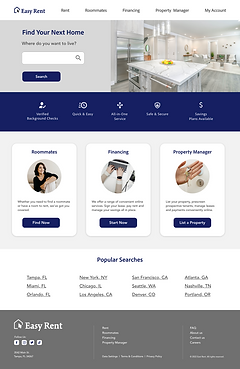
During the usability study, users expressed wanting to be able to select the type of rental they were looking for from the main header. I took this feedback and added a toggle to the header for faster navigation to the type of rental the user is looking for.
Before Usability Study
After Usability Study

Roommate Detail Page
During the usability study, users expressed wanting to be able to add listings to a favorites list. I added a clickable heart icon that allows users to add a profile to favorites. I also added icons to draw more attention to preferences.
Before Usability Study

After Usability Study

High-fidelity Mockup
Desktop
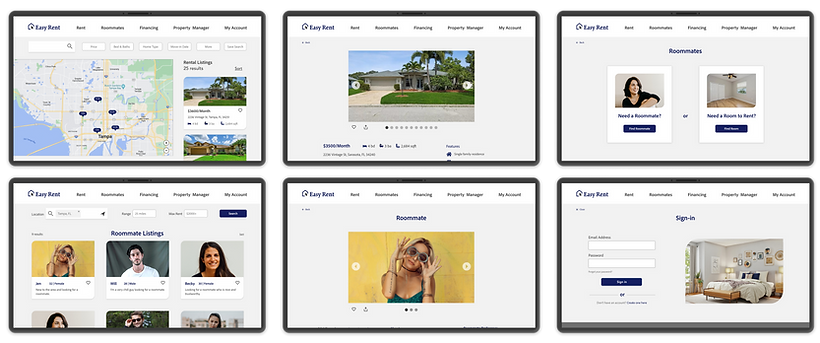
Mobile

Accessibility Considerations
WCAG
I used WebAim to make sure the color choices were compliant with the WCAG web standards.
ICONOGRAPHY
I used google material design icons and icons4design to ensure they are easy to understand for users.
Thank you for reading!
I hope you enjoyed my case study :)